It already looks like you.
We capture your colors, fonts, and buttons from your website, and Righty builds the page with them. Want it to look like a page on your site, header and footer included? Ask for a close copy.
A quiz to launch, a webinar to fill, an ad that needs somewhere to land. Pages builds the page in your colors and fonts, puts your form or quiz on it, and hosts it at your own address. You check it, change anything by clicking, and publish.
A quick landing page usually means opening a page builder, rebuilding your fonts and colors, connecting a form to your email platform, and checking it on a phone. That's a lot of work before anyone sees it, so the quiz waits, or the ad goes to your homepage.
We capture your colors, fonts, and buttons from your website, and Righty builds the page with them. Want it to look like a page on your site, header and footer included? Ask for a close copy.
Righty makes a new form, quiz, or survey for the page, or uses one you already have. Answers go to your email platform, the same as any other RightMessage form.
Click a headline to rewrite it, swap an image, drag a section, or ask Righty to make it punchier. Every version is kept, so you can always go back.
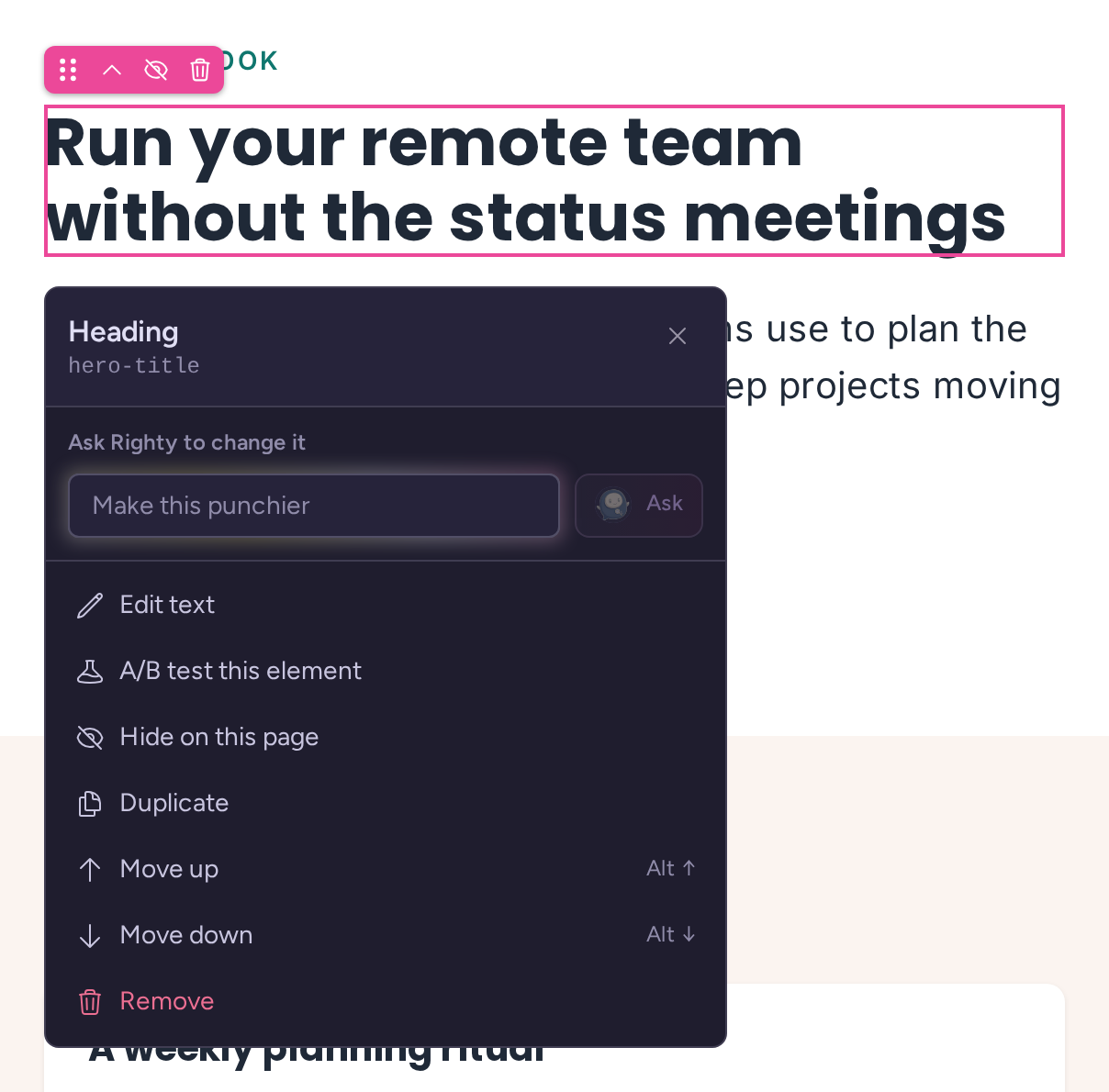
Select any element to edit its text, replace an image, move it, or hand it to Righty with a request like “Make this punchier.” Check it at phone width before you publish, and open the draft at its real address to share it.
Build a landing page with Pages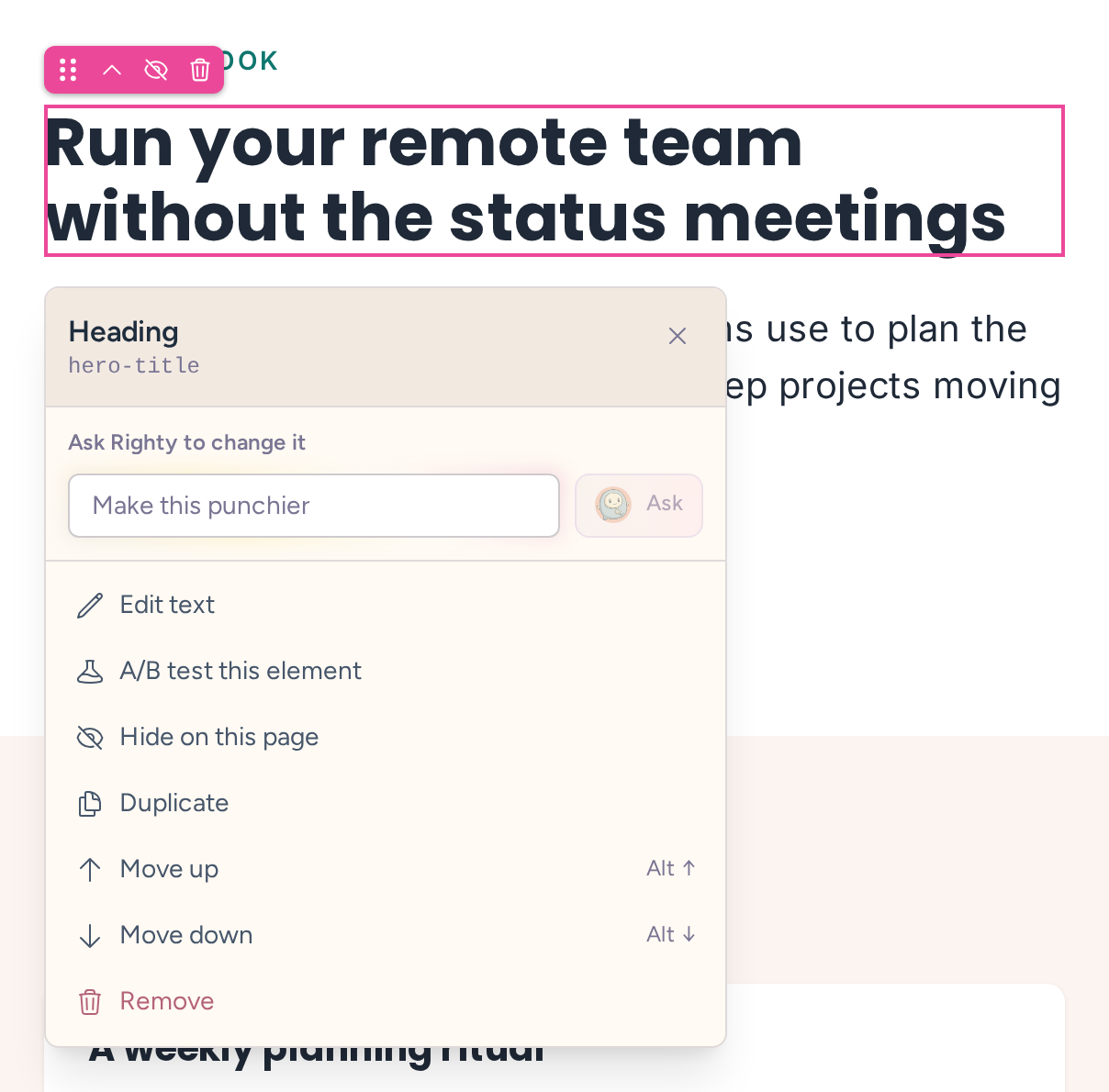
Your pages use the same audiences as the rest of your site. People who clicked the agency ad see the agency headline, people from the SaaS ad see theirs, and everyone who took the quiz gets a reason to book the call. You keep one page, not one per ad.
Find out where your clients' projects stall.
Answer three questions and get a plan for your agency's next quarter.
Take the 2-minute quizA/B test the page everyone sees, or each audience's version, right in the page editor. We check the results every week and tell you in plain English when a version wins.
Answer three questions and get a plan for your agency's next quarter.
Every project gets yourname.rightmessage.page. Or point a subdomain you own, like pages.yoursite.com, at it with one DNS record.
Set the title, description, social image, and favicon, or keep a page out of search engines.
Add your analytics or ad pixels to one page or every page. They run on published pages only.
Build and edit pages from Claude, ChatGPT, or Cursor through our MCP server. Nothing goes live until you publish.
Pages is for simple landing pages: a quiz, a signup, a page for an ad. It isn't a website builder, and you don't have to move anything to use RightMessage.
If your pages already live in WordPress, Webflow, Unbounce, or anywhere else you can add a script, keep them there. RightMessage changes the headline, offer, and call to action on them for each visitor, with no rebuild.
Match the pages you already have to every adStart your trial and have Righty build your first page, or book a demo and we'll build one with you.
On your project's own address, like yourname.rightmessage.page/your-page. You can also serve them on a subdomain you own, like pages.yoursite.com, by adding one CNAME record. Each project can have one custom domain, and it has to be a subdomain, not your root domain.
For simple pages, it can: a quiz page, a webinar signup, a page for an ad. It isn't a full page builder or website, though. If you already build pages in another tool, keep it and add RightMessage on top. We'll match those pages to each ad without a rebuild.
No. Righty builds and edits drafts. It never publishes, changes your domains, or edits your scripts. You review the page and publish it yourself.
Yes. The editor has a Code view for the page's HTML and CSS. Scripts go in page settings instead, so they only run on the published page.
To your connected email platform or CRM, the same way they do from any other RightMessage form. The answers also build your segments, so you can use them on your website.
Yes. Connect your assistant to the RightMessage MCP server and ask it to build, edit, style, or personalize a page. Changes stay in your draft until you publish.
Ask useful questions, recognize known leads when they come back, build audiences, personalize what each visitor sees, test what works, and learn what to change next. Each part feeds the others.
Change headlines, CTAs, forms, and offers for each visitor without duplicating pages.
Learn moreTest the page everyone sees and each audience’s changes, then read a plain-language verdict every week. You decide when to end a test and which version to keep.
Learn moreBuild audiences from behavior, traffic source, quiz/survey answers, on-site activity, and customer data in your ESP/CRM, then reuse them across pages, forms, and follow-up.
Learn moreAsk useful questions, qualify each lead, and keep using the answers on later pages and in follow-up.
Learn moreRecognize known contacts from your ESP/CRM when they come back to your site. When one shows buying intent, we email you who it is, the pages they viewed and a suggested next step, so you can follow up. Known contacts only. No IP guessing.
Learn moreSee which audiences convert and where leads drop off, then get a specific recommendation for what to test next.
Learn more