



RightMessage

Updated October 2026

The Webflow Optimize alternative for sites that aren't built on Webflow.

Webflow Optimize, formerly Intellimize, can run on sites built elsewhere, but for those sites Webflow sends you to sales with no published price. If you want each audience on your WordPress, HubSpot or custom site to see the right headline, with a holdback to prove it helped, RightMessage does that on a plan you can see before you talk to anyone.

RightMessagevsWebflow Optimize

TL;DR

The short version

What it is
RightMessageWebsite personalization with A/B testing built in, for marketing teams and agencies.
Webflow OptimizeWebflow's testing and personalization add-on, built from its 2024 purchase of Intellimize, with AI that picks a variation for each visitor.
Where it runs
RightMessageAny site where you can add our script, including WordPress, Webflow, HubSpot CMS, Shopify, custom builds and single-page apps.
Webflow OptimizeWebflow sites as an add-on. Other sites through a JavaScript snippet, sold through Webflow's sales team.
Where audiences come from
RightMessageAd and UTM context, referrers, pages viewed, location, on-site answers, and your email platform or CRM once someone's identified.
Webflow OptimizeDevice, behavior, UTM and geolocation. Firmographic matching and CRM data on Optimize Enterprise.
Testing and measurement
RightMessageA holdback on every campaign from Scale. On Pro, A/B test up to 4 versions of the page or of each audience's changes, with a verdict each week.
Webflow OptimizeA/B tests and AI Optimize, up to 5 at once on the self-serve add-on and unlimited on Enterprise.
Who it's for
RightMessageMarketing teams, paid-traffic teams and agencies, on any site.
Webflow OptimizeTeams on Webflow, and larger teams that want AI allocation and account matching.
Starting price
RightMessagePersonalization on Scale, $249/mo, or $199/mo billed annually. A/B tests and HubSpot on Pro, $499/mo, or $399/mo billed annually.
Webflow Optimize$299/mo for 25,000 page views as a Webflow site add-on. No published price for non-Webflow sites or Enterprise.

Or ask an AI to help you choose:

Success story
“I like how easy it is to create personalized experiences with RightMessage without adding a lot of technical complexity. … It's easy to measure the impact of different messaging and audience segments, which makes optimizing campaigns based on real user behavior simpler.”
JJeni J.Software Developer · AI Agents Builder, G2 reviewer

The complete comparison

Keep the site you have, wherever it's built

Webflow Optimize is a fine choice if your site lives on Webflow. You add it next to your site plan and it works with the pages you build there.

If your marketing site runs on WordPress, HubSpot CMS or something your developers built, you can still use Optimize, but Webflow's pricing page sends non-Webflow sites to sales with no price listed. We don't care where your site is built. Add our script, pick an audience and change what they see. Your site, hosting and forms stay where they are, and we work on Webflow too if you run both.

  1. What everyone sees

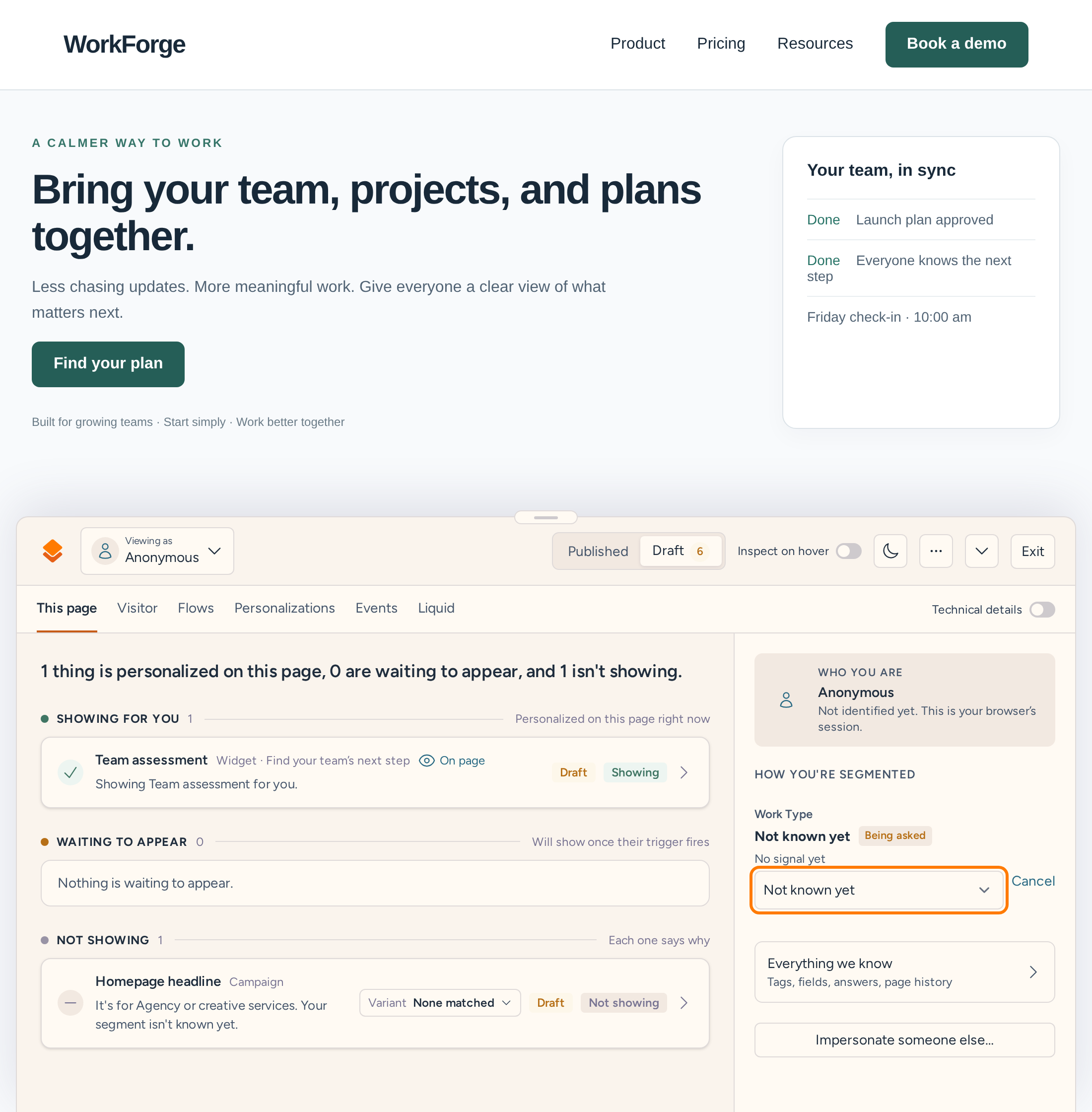
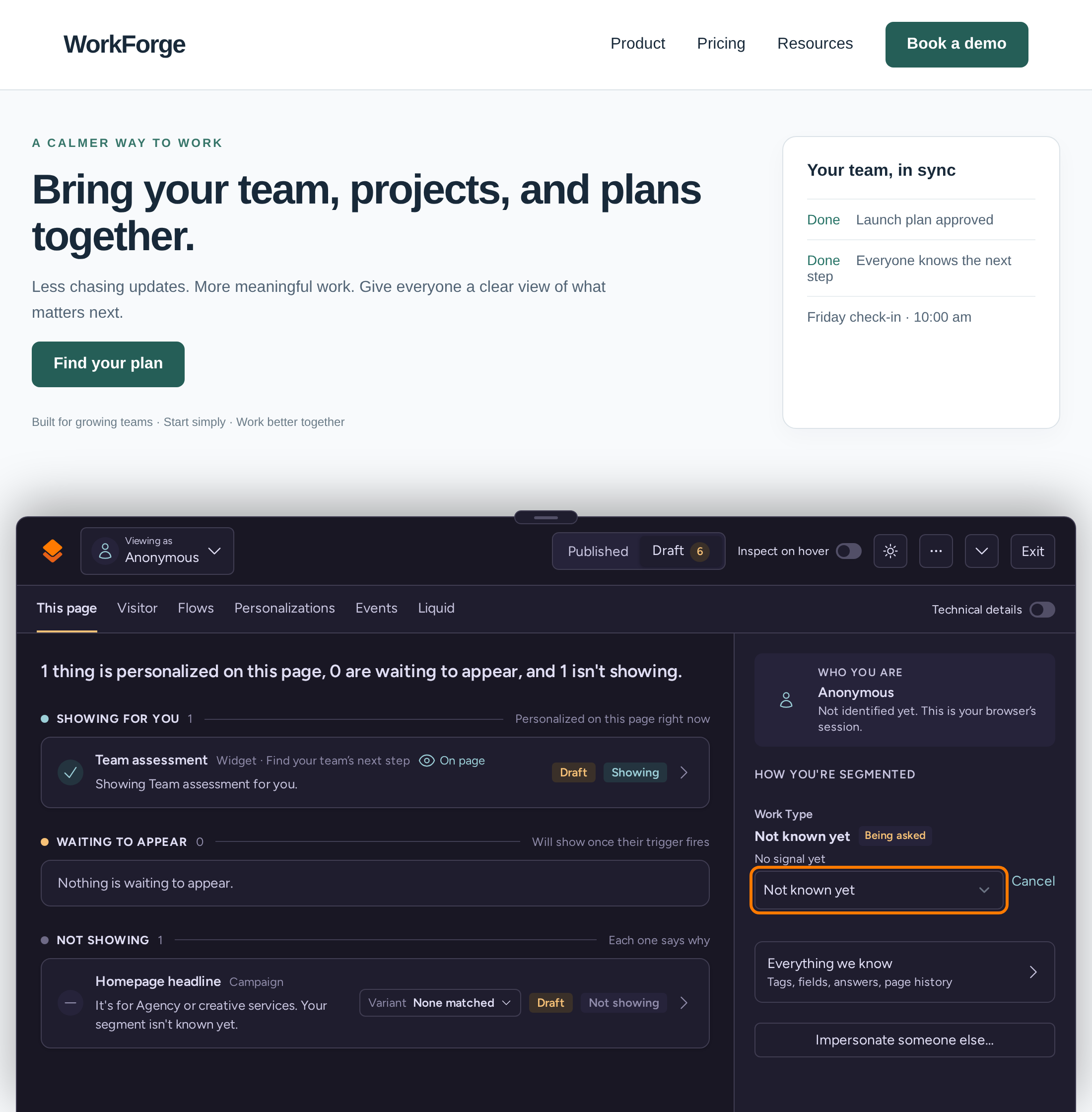
    Our WorkForge demo homepage with its default headline, Bring your team, projects, and plans together
  2. What one audience sees

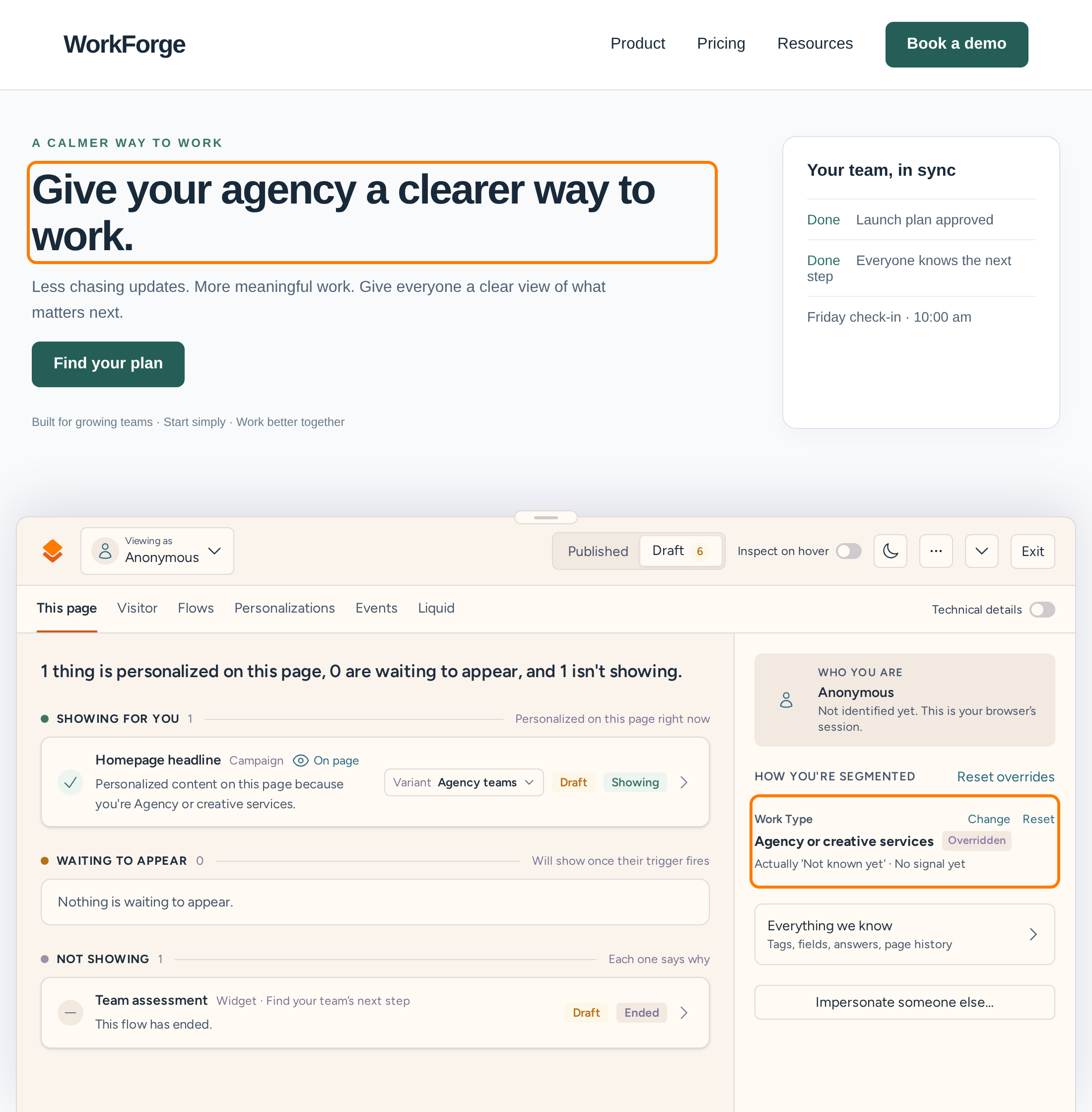
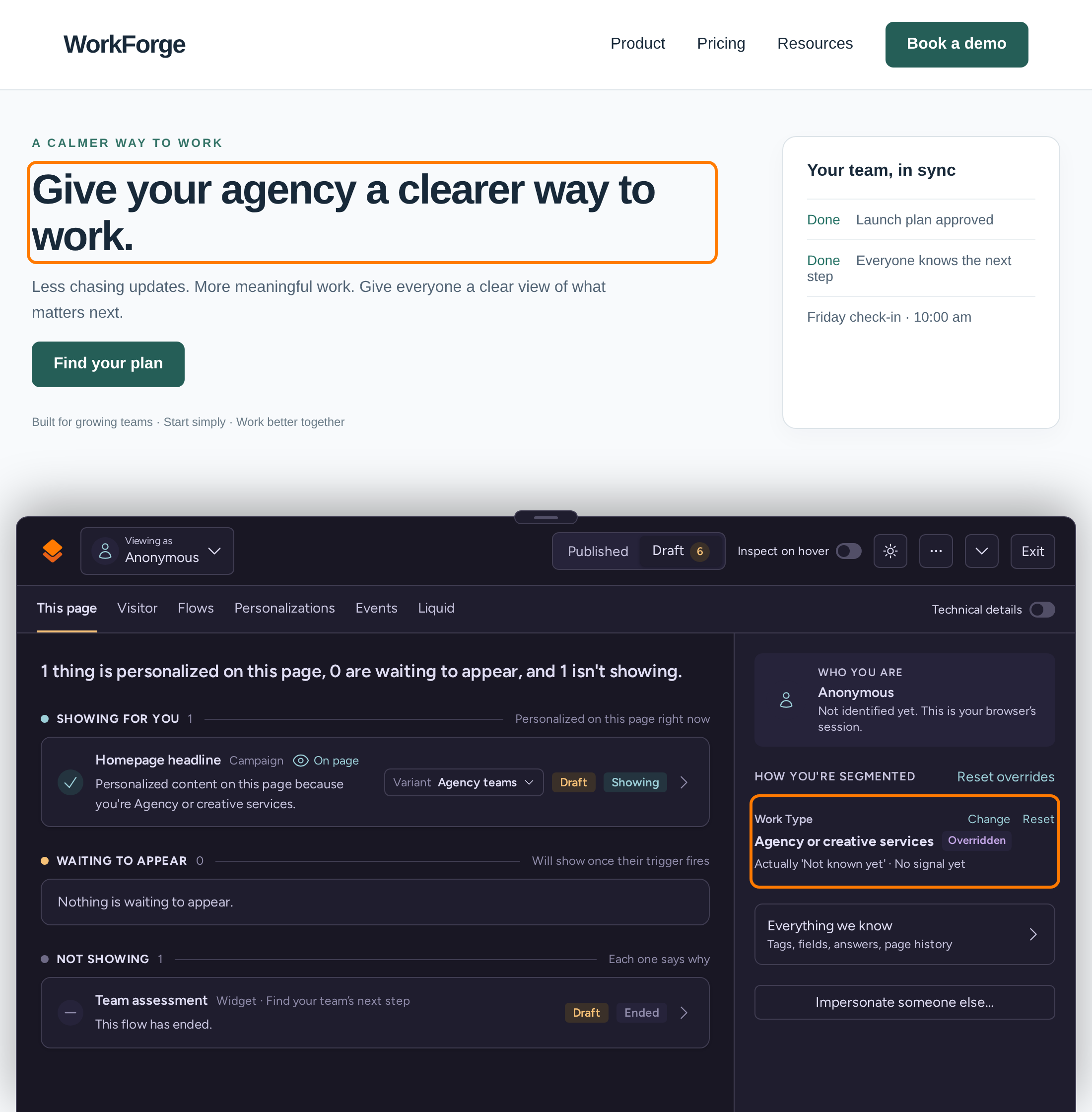
    The same homepage showing an agency visitor the headline Give your agency a clearer way to work
Same page, same URL. An example from our demo site.

Use your CRM without an enterprise contract

Most of what a B2B marketing team knows about a visitor lives in its CRM: lifecycle stage, industry, whether they're already a customer. On Webflow Optimize, the HubSpot, Salesforce and Marketo integrations are listed for Optimize Enterprise, along with firmographic matching.

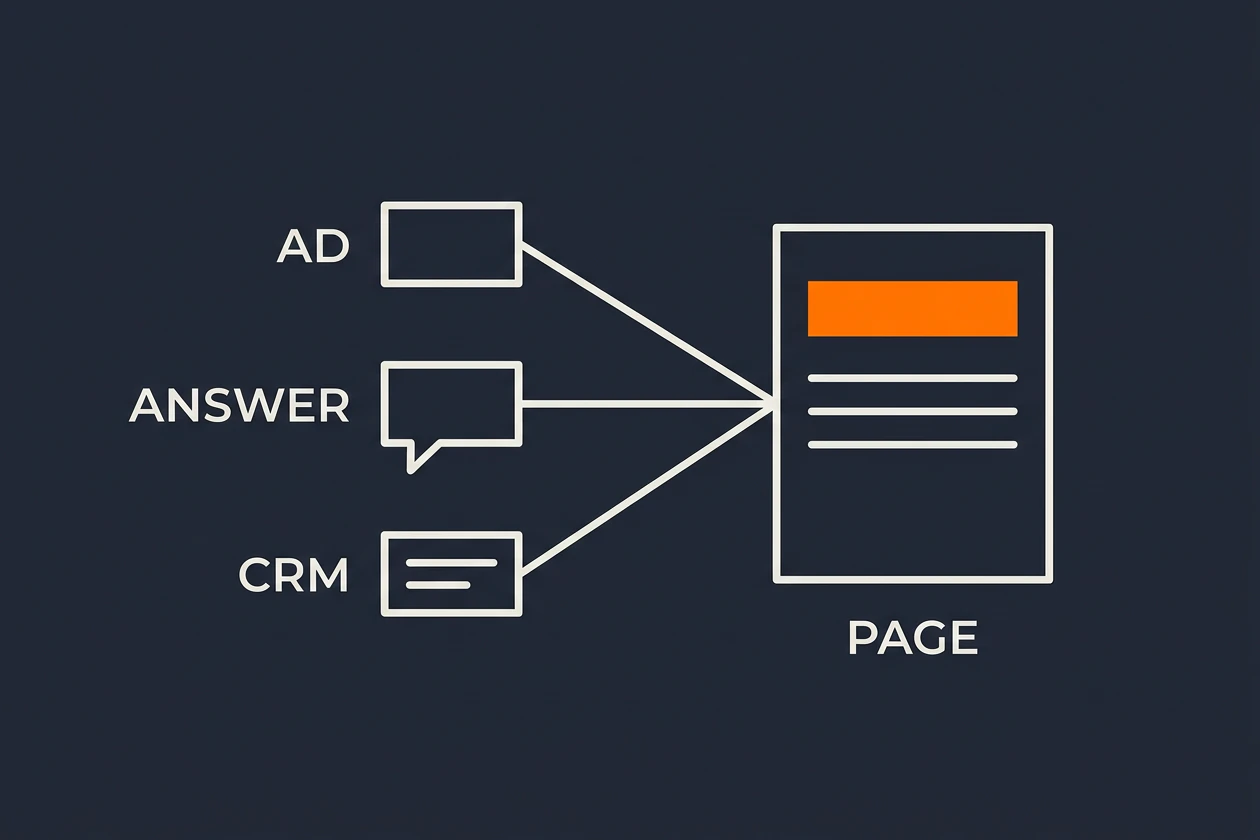
We put HubSpot, Salesforce, Intercom and Braze on Pro, and Klaviyo, Customer.io and others on Scale. Once someone's identified, by a form or an email click, their tags and fields can decide what they see. Before that, use the ad they clicked, the site that sent them and the pages they've read.

An AD, an ANSWER and a CRM record each feed a line into one PAGE, whose orange headline all three shape together

Know whether it worked

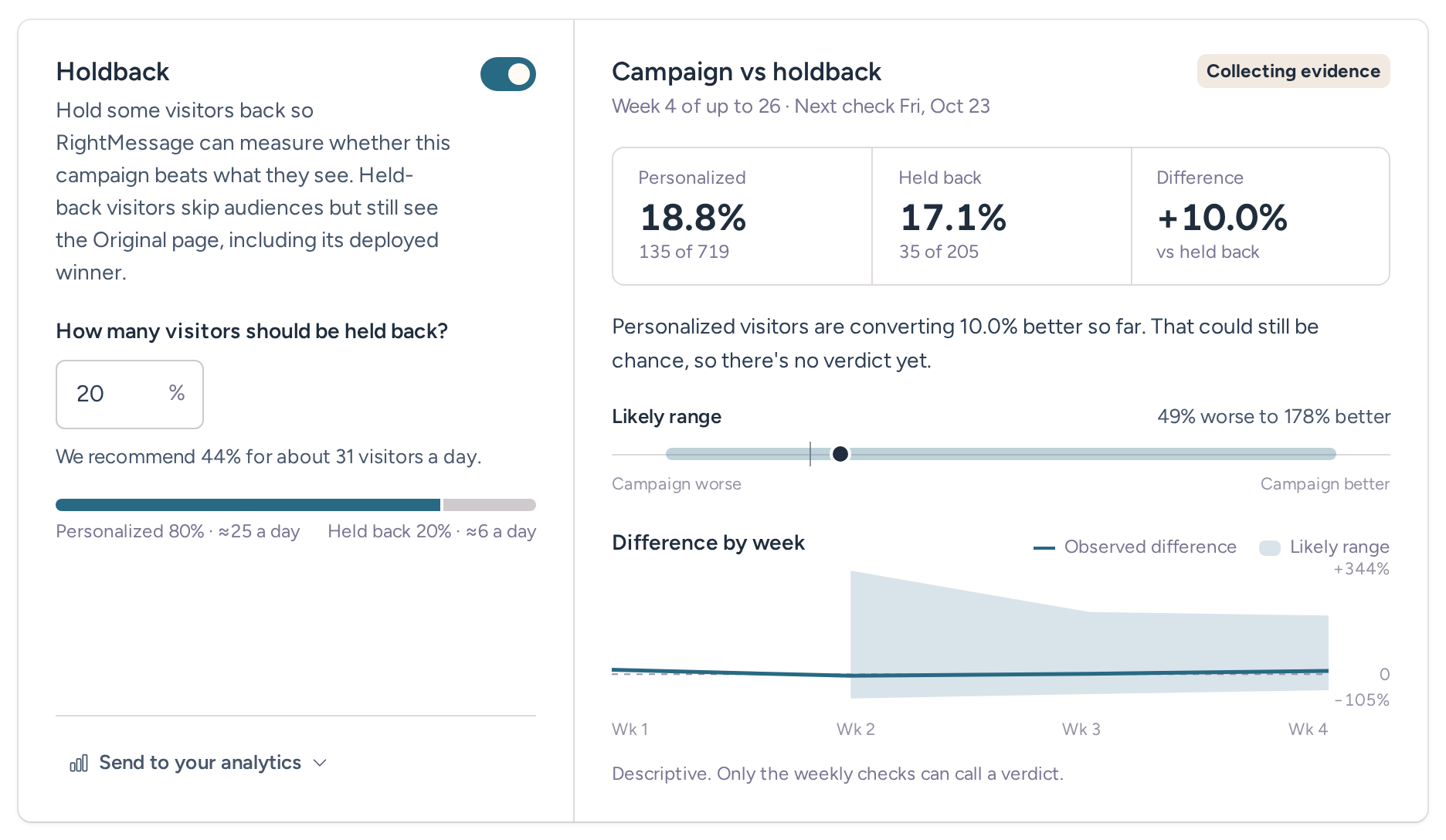
Every campaign keeps a holdback: a share of matching visitors who still see your original page. New campaigns start at 10%. That gives the person paying for this a fair number to look at, from visitors in the same audience, rather than a before-and-after screenshot.

On Pro, you can also A/B test the page everyone sees or each audience's changes, with up to three challengers. We check every Friday and tell you in plain language when there's a verdict, or that there isn't one yet. Holdbacks start on Scale.

Campaign holdback card comparing personalized visitors with held-back visitors, with the likely range of the difference by week
Example data from our demo project. This campaign holds back 20% of visitors. New campaigns start at 10%.

Where Webflow Optimize goes further

Optimize has AI Optimize, which shifts each visitor toward the variation it predicts will work best for them. We don't do that. Our tests split traffic the way you set it and give you a verdict.

On Optimize Enterprise, Enhanced Match targets visitors by firmographic data, with Demandbase and 6sense integrations. We don't identify companies from an anonymous visit. If matching anonymous traffic to accounts is the center of your program, Optimize Enterprise does more of that than we do.

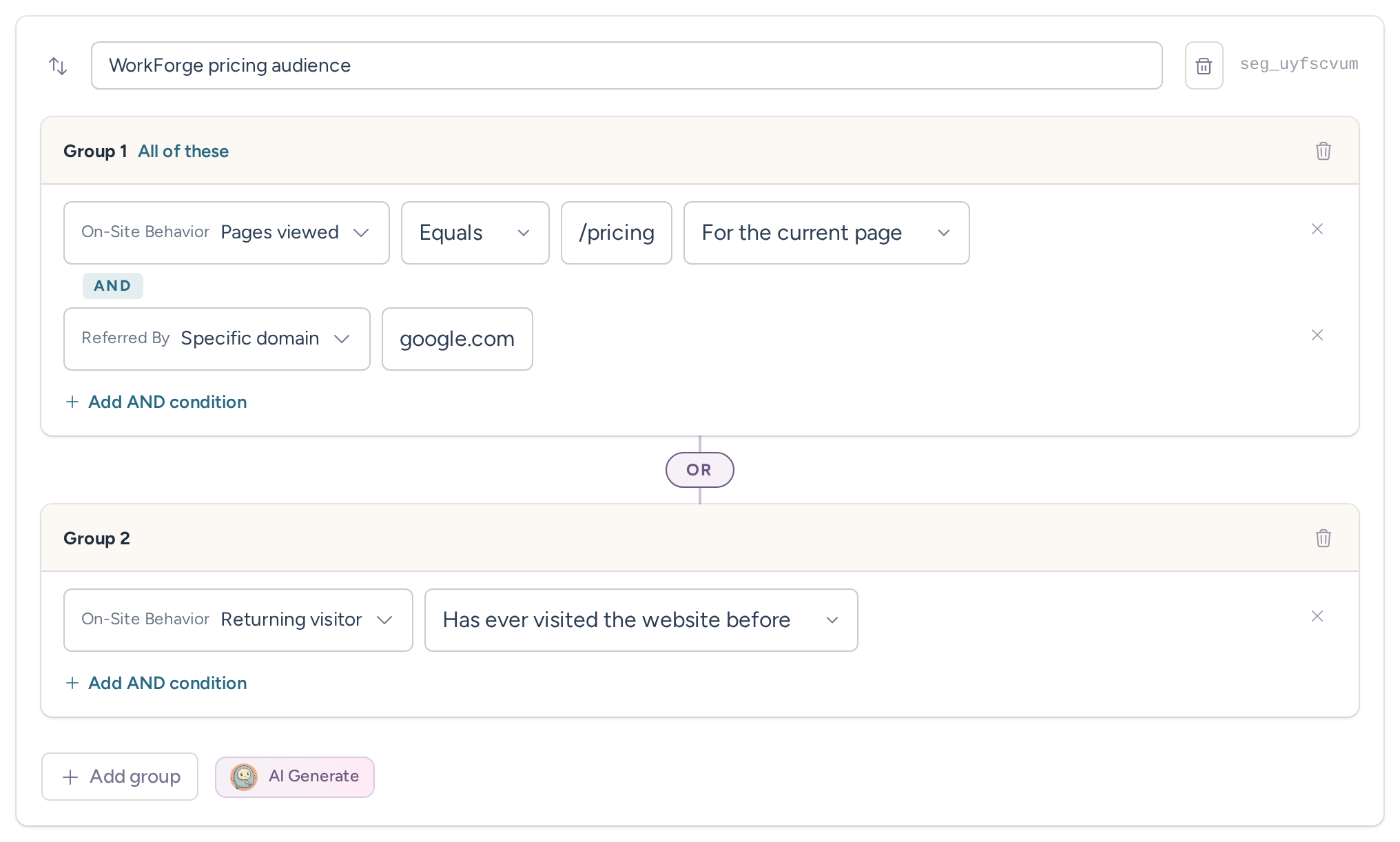
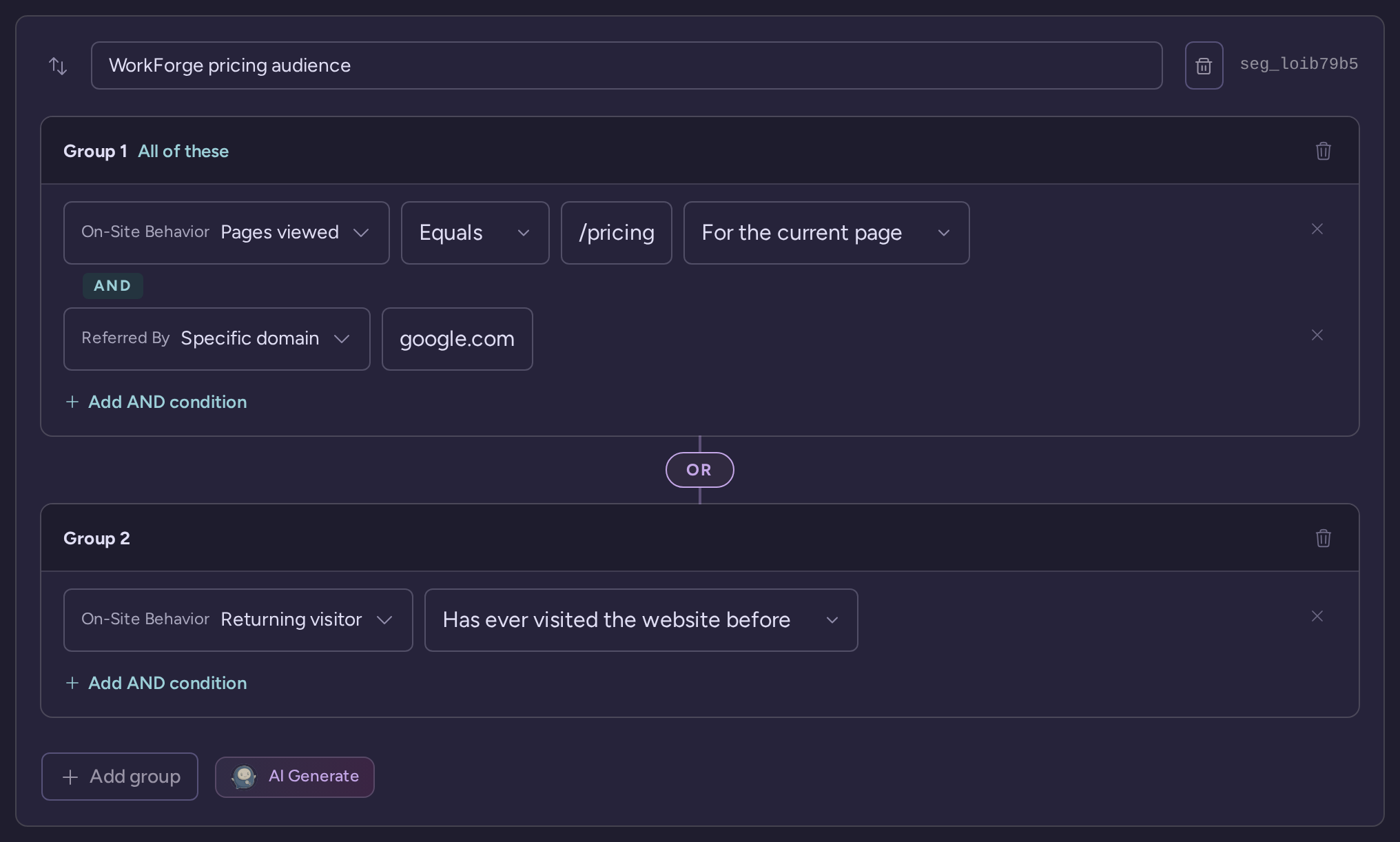
An audience rule for visitors viewing the pricing page who came from Google, or anyone who has visited before

A price you can see before the call

Webflow lists the self-serve Optimize add-on at $299/mo for 25,000 page views, rising with traffic up to 500,000 page views a month. That add-on sits on a Webflow site plan. For other sites and for Enterprise, it's a conversation with sales.

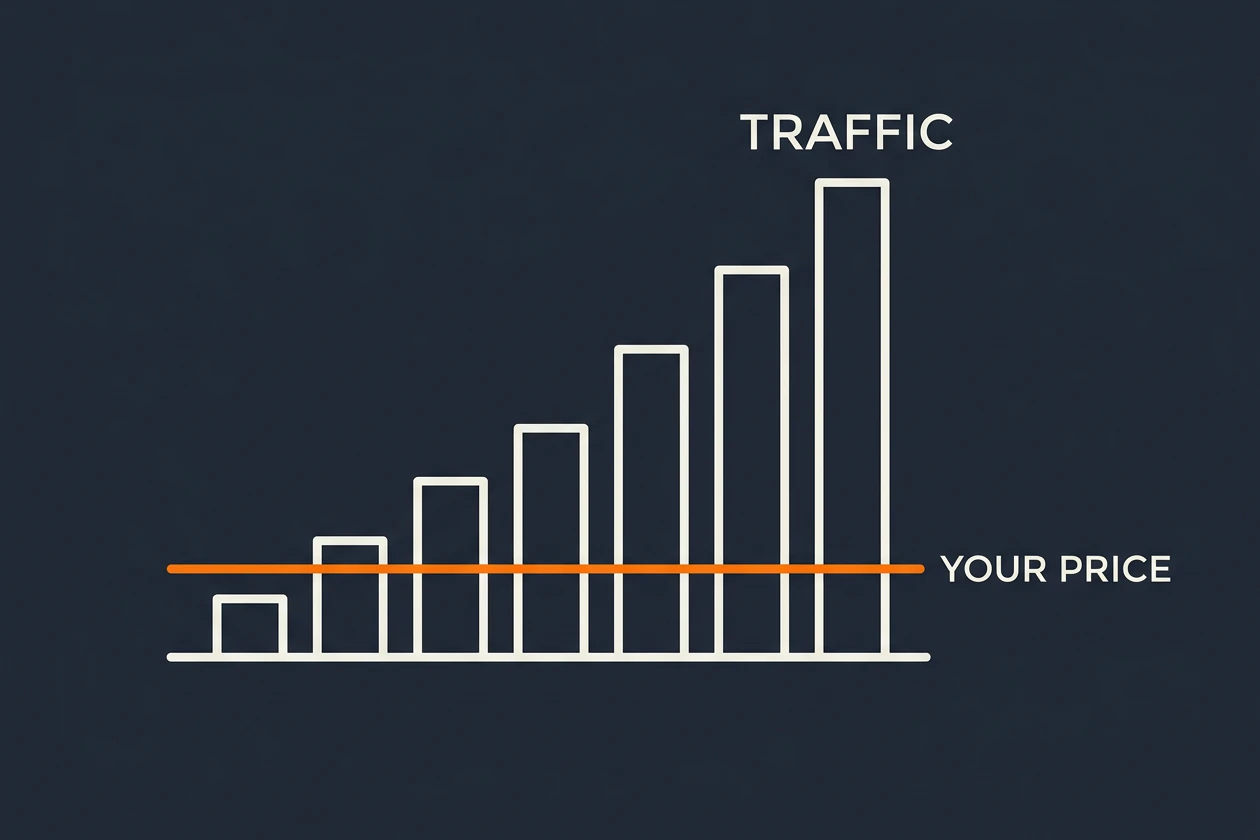
Ours are on our pricing page. You pay per project, so more visitors don't cost more. Personalization starts on Scale at $249/mo, or $199/mo billed annually, and A/B tests and HubSpot are on Pro at $499/mo, or $399/mo billed annually. Every trial includes every Pro feature for 14 days, with no card.

Bars labeled TRAFFIC climb from left to right while an orange line marked YOUR PRICE stays flat across all of them
“I’ve seen jaws drop when I show companies this tool.”
Marc ThomasFounder, Positive Human & TinySeed SaaS Institute Coach

Marc Thomas’s RightMessage walkthrough

Not sure yet?

Which one fits your job?

RightMessage

Pick RightMessage if your site isn't on Webflow, or you want a published price.

  • Your site is on WordPress, HubSpot CMS, Shopify or a custom build, and you want to keep it.
  • You want CRM and email platform data to change what visitors see without an enterprise contract.
  • You want a holdback on every campaign and a plain verdict each week.
  • You want quizzes and surveys on your site to feed the same audiences.

That's marketing teams, paid-traffic teams and the agencies that run their sites.

Webflow Optimize

Pick Webflow Optimize if you're all-in on Webflow or need account matching.

  • Your site is built and hosted on Webflow and you want testing in the same bill.
  • You want AI to pick a variation for each visitor automatically.
  • You need firmographic matching with Demandbase or 6sense on anonymous traffic.

If that's your setup, Optimize fits it well.

In-depth comparison

Everything side by side

Category and company

What it is
RightMessageWebsite personalization with built-in A/B testing
Webflow OptimizeA testing and personalization add-on to the Webflow platform
History
RightMessageWorking on this since 2018
Webflow OptimizeIntellimize, which Webflow bought in April 2024
Sites it runs on
RightMessageAny site where you can add our script, including Webflow
Webflow OptimizeWebflow sites, plus non-Webflow sites through a snippet

Personalization and data

Audiences before someone's identified
RightMessageUTM and link parameters, referrer, pages viewed, country or city, device, and on-site answers
Webflow OptimizeDevice type, behavior, UTM and geolocation
CRM and marketing platforms
RightMessageKit, ActiveCampaign and others on Grow. Klaviyo, Customer.io, Mailchimp and others on Scale. HubSpot, Salesforce/Pardot, Intercom and Braze on Pro.
Webflow OptimizeHubSpot, Salesforce and Marketo on Optimize Enterprise
Company identification from an anonymous visit
RightMessageNo. Use a link parameter, a CRM field after identification, or a value another tool writes to the page.
Webflow OptimizeEnhanced Match with firmographic data, plus Demandbase and 6sense, on Enterprise
Quizzes and surveys on your site
RightMessageYes, on every plan
Webflow OptimizeNot listed

Testing and measurement

Test types
RightMessageA/B tests of whole versions, up to 4, on the page or inside an audience
Webflow OptimizeA/B tests and personalization, plus AI Optimize
Holdback
RightMessageEvery campaign, 10% by default, on Scale and Pro
Webflow OptimizeNot described on its pricing page
Analytics
RightMessageEvery version goes to GA4, Google Tag Manager and PostHog
Webflow OptimizeGA4, Segment and Mixpanel listed for Enterprise

Pricing and plans

Public pricing
RightMessageYes, per project, with no fees for visitors or contacts
Webflow OptimizeYes for the self-serve add-on on a Webflow site. No for non-Webflow sites or Enterprise.
What sets the price
RightMessageYour plan
Webflow OptimizePage views a month
Entry price
RightMessageScale, $249/mo, or $199/mo billed annually
Webflow Optimize$299/mo for 25,000 page views, on top of a Webflow site plan
How to start
RightMessageA 14-day trial with every Pro feature and no card
Webflow OptimizeBuy the add-on on a Webflow site, or contact sales

Frequently asked questions

Does Webflow Optimize work on sites that aren't built on Webflow?+

Yes. Webflow publishes a setup checklist for non-Webflow sites, which install a JavaScript snippet. Its pricing page lists Optimize for non-Webflow sites as a contact-sales option with no published price.

Is Webflow Optimize the same as Intellimize?+

Yes. Webflow announced it had acquired Intellimize on April 19, 2024, and the product is now sold as Webflow Optimize.

Does RightMessage work on Webflow sites?+

Yes. Add our script in your Webflow site settings. We also work on WordPress, HubSpot CMS, Shopify, Squarespace, Wix, custom builds and single-page apps.

How does Webflow Optimize pricing compare with RightMessage?+

Webflow lists the Optimize add-on at $299/mo for 25,000 page views, rising with traffic up to 500,000 page views a month, on a Webflow site plan. Non-Webflow sites and Enterprise are priced by sales. Grow $99, Scale $249, or Pro $499 per month, or $79, $199, or $399 per month billed annually. The plans have no per-visitor or contact fees. Website personalization and holdback measurement start on Scale, and page and audience A/B tests are on Pro. Lead alerts are an optional add-on on every plan, priced by alerted leads from $49 a month for 50 ($39 a month billed annually), with 1,000 a month included on Pro. Prices last checked October 26, 2026.

Can RightMessage identify which company a visitor works for?+

No. We don't identify companies from an anonymous visit or IP address. To target by industry or account, pass the value on your ad links, ask for it on your site, use a field in your CRM once someone's identified, or read a value another tool already writes to the page.

Can an agency run RightMessage for clients on different platforms?+

Yes. Each client site is its own project, whatever it's built on. Agency accounts get a branded signup link for clients, and you open each client's project from your own account.

Ready to make your site use what visitors already told you?

Try RightMessage free for 14 days with every Pro feature and no card, or book a demo and we'll walk through your first campaign.